
Cell segmentation with PyTorch#
Find individual cells and nuclei in your images. Use pretrained models, train on your own labels, and run predictions on images or whole slides.
pip install cellseg-models-pytorch
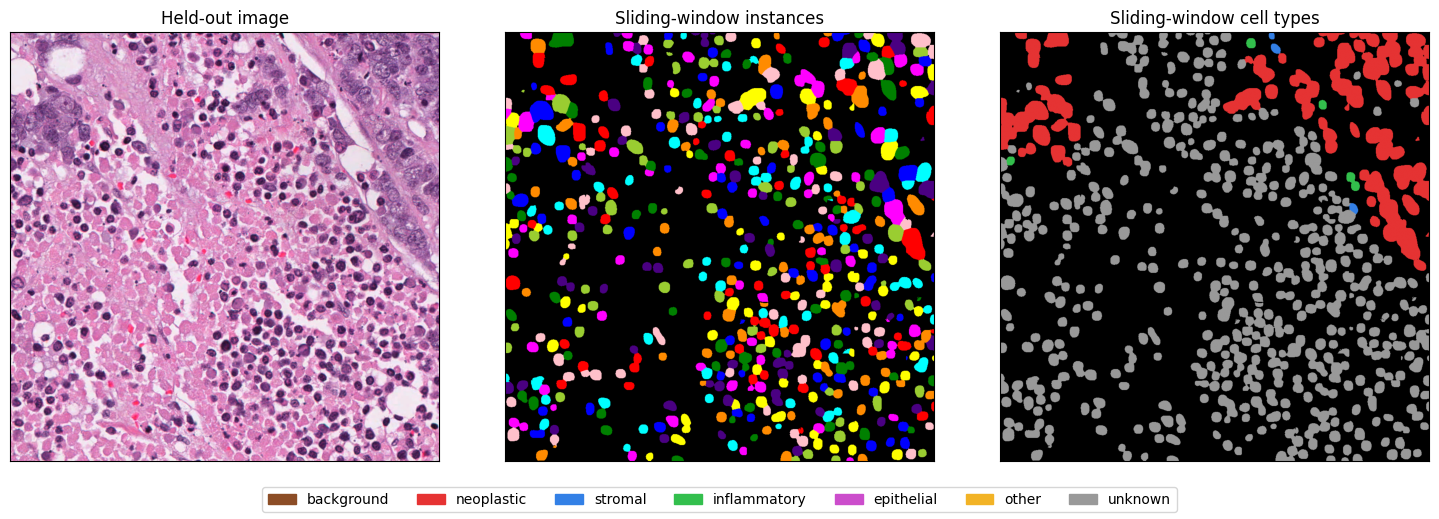
From the image inference guide: predictions on a PanopTILs Refined validation image. Colours distinguish nuclei and cell types.#
What would you like to do?#
Predict an image
Load pretrained weights and turn an image into labelled nuclei.
Train on your data
Prepare labelled images, train a model and check its predictions.
Work with whole slides
Read tissue regions, predict tiles and combine the results.
Models and tools#
Choose from CellPose, StarDist, Omnipose, HoverNet, CellVit and InstanSeg. The model reference covers available checkpoints and how to use them.
Use the user guide for complete workflows, or look up datasets, transforms, losses, metrics and ONNX export in the API reference.
Find weights and data — Browse CSMP Hub.
Go further — For panoptic segmentation and downstream spatial analysis, see Histolytics, which uses these models.
Contribute or cite — Visit the repository for source code, issues and model citations.